Stop typing dates: talk to your family calendar
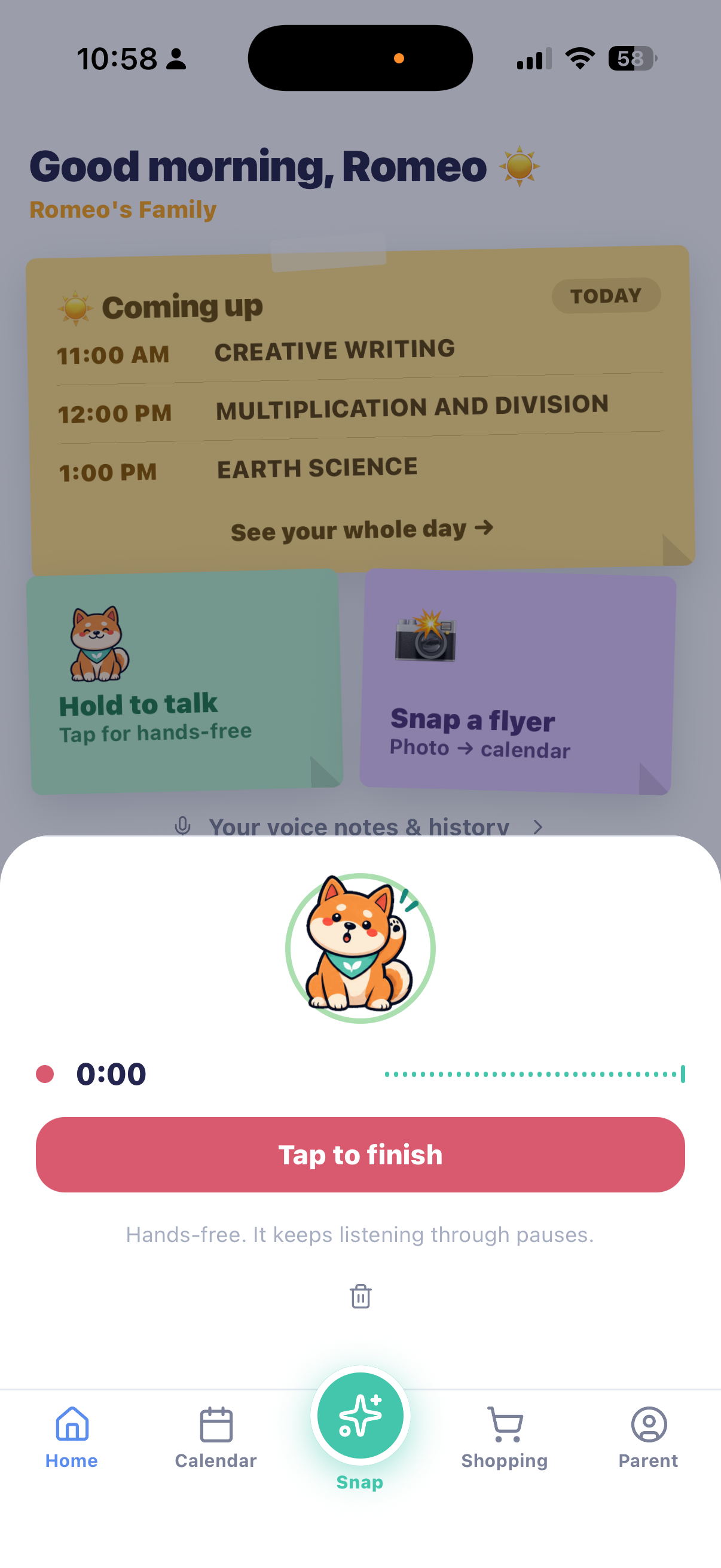
MiloMint 1.9 is out on iPhone and Android. Hold Milo on your home screen, say “tennis Saturday at 7 on 65th and Broadway,” and let go. It is on the family calendar. Ask him what is on tomorrow and he answers. Here is how it works, and what we decided not to do.
The twelve seconds nobody has
Adding one event to a family calendar takes about twelve seconds of tapping: open the app, find the date, type a title, set a time, pick who it is for, save. Twelve seconds is nothing. The problem is that it never happens at a convenient moment. It happens in the school pickup line, at the bottom of a kit bag, halfway through cooking. So it does not happen at all, and the date lives in somebody’s head until it is late.
Saying it takes two seconds and no hands. That is the whole feature.
One sentence, several things
A note is not limited to one item. “Maya read 25 minutes and Leo has soccer Thursday at 4 and we need milk and bread” becomes a reading entry, a calendar event and two shopping items. It understands events, chores, reading minutes and groceries, and it works out which child you meant from the names on your account.
Groceries from a voice note start their own dated shopping list rather than landing in whatever list happened to be first. That one came from a real complaint: a spoken grocery run ended up in somebody’s personal list and nobody could find it.
It answers, too
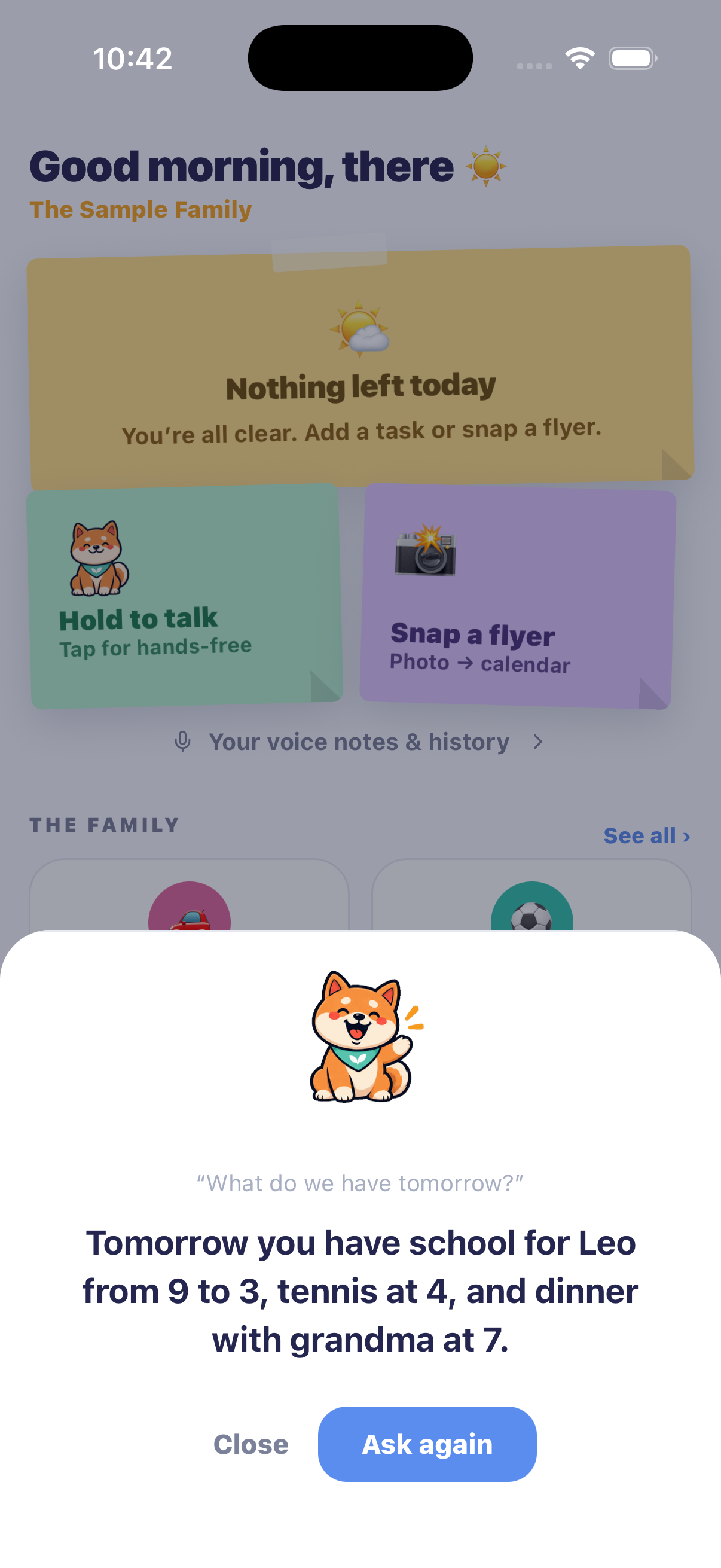
Voice is not only for putting things in. Ask “what do we have tomorrow?” or “do we have basketball this weekend?” and Milo reads your day back in plain words, from your own calendar. If there is nothing, he says so rather than inventing something, which matters more than it sounds: a wrong answer here means a parent misses something real.
Asking is always free and never creates anything, so you can check without spending one of your daily notes.
Your voice stays on your phone
This is the part we care most about. Your phone converts speech to text itself, using the speech recognition built into iOS and Android. No audio file is ever uploaded, and none is kept. Only the resulting text reaches us, where it is sorted into items and saved to your voice-note history so you can see what was heard and delete anything.
Voice notes are a parent-account feature. Child profiles have no voice capture at all, so a child’s voice never reaches MiloMint. You can read exactly what we do with the text in our privacy policy.
What we decided not to do
We did not make it a chatbot. There is no conversation to scroll, no assistant personality to talk around. You say a thing, you see what it understood, you keep it or you do not. Milo reacts to what is happening — he listens, thinks, answers, celebrates — but he is the face of a feature, not a thing you chat with.
We also did not let it act on a guess. If it cannot tell which child a chore belongs to, it asks instead of picking one. Everything is shown to you before it is saved, and there is an undo window after. The one exception is hands-free mode, where an unattributed item applies to everyone — because if you are driving, you should not be tapping a checkbox.
Driving mode
Tap Milo once instead of holding him and it goes hands-free. It keeps listening through pauses instead of cutting off the moment you stop to think, and you tap once to finish. That was the first thing we got wrong: the recogniser originally ended at the first pause, so half of what people said was lost.
What it costs
Free accounts get two voice notes a day. That is per note, not per item, so one sentence carrying three things is still one note — enough for a normal evening. Milo+ removes the limit. Questions never count.
Say it out loud
Free on iPhone and Android. No ads, no credit card, up to 2 kids free forever.
Get MiloMint free on the App Store →Free family calendar, chores & allowance · No ads, ever · Plus adds Snap & printing for $29.99/yr
Questions people ask
Is my voice recording sent anywhere?
No. Your phone turns speech into text itself, using the speech recognition built into iOS and Android. Only the resulting text reaches our servers, and no audio file is uploaded or kept. That is also why voice needs a real phone: the simulator has no speech engine.
Can my kids use it?
No, and that is deliberate. Voice notes are a parent-account feature. Child profiles have no voice capture at all, so a child's voice never reaches us.
What can I say in one note?
Several things at once. “Maya read 25 minutes and Leo has soccer Thursday at 4 and we need milk” becomes a reading entry, a calendar event and a shopping item in one go. Events, chores, reading minutes and groceries are all understood.
What if it mishears me?
You see exactly what it understood before anything is saved, and you can drop any line you do not want. After it saves there is still an undo window. If it cannot work out which child something belongs to, it asks rather than guessing.
Does it cost anything?
Free accounts get 2 voice notes a day, and that is per note rather than per item, so one sentence carrying three things still counts as one. Milo+ is unlimited. Asking questions is always free, because a question creates nothing.
Can I use it while driving?
Tap Milo once instead of holding him and it goes hands-free: it keeps listening through pauses and you tap once to finish. If a note is missing a child in hands-free mode it applies to everyone rather than waiting for you to tick a box, because you should not be tapping at the wheel.