MiloMint vs Cozi, Skylight & the rest: an honest 2026 comparison
We researched the eight most-recommended family apps — pricing pages, App Store listings, and recent reviews — and compared them honestly, including where each one beats us. Here is what parents are actually choosing between in 2026.

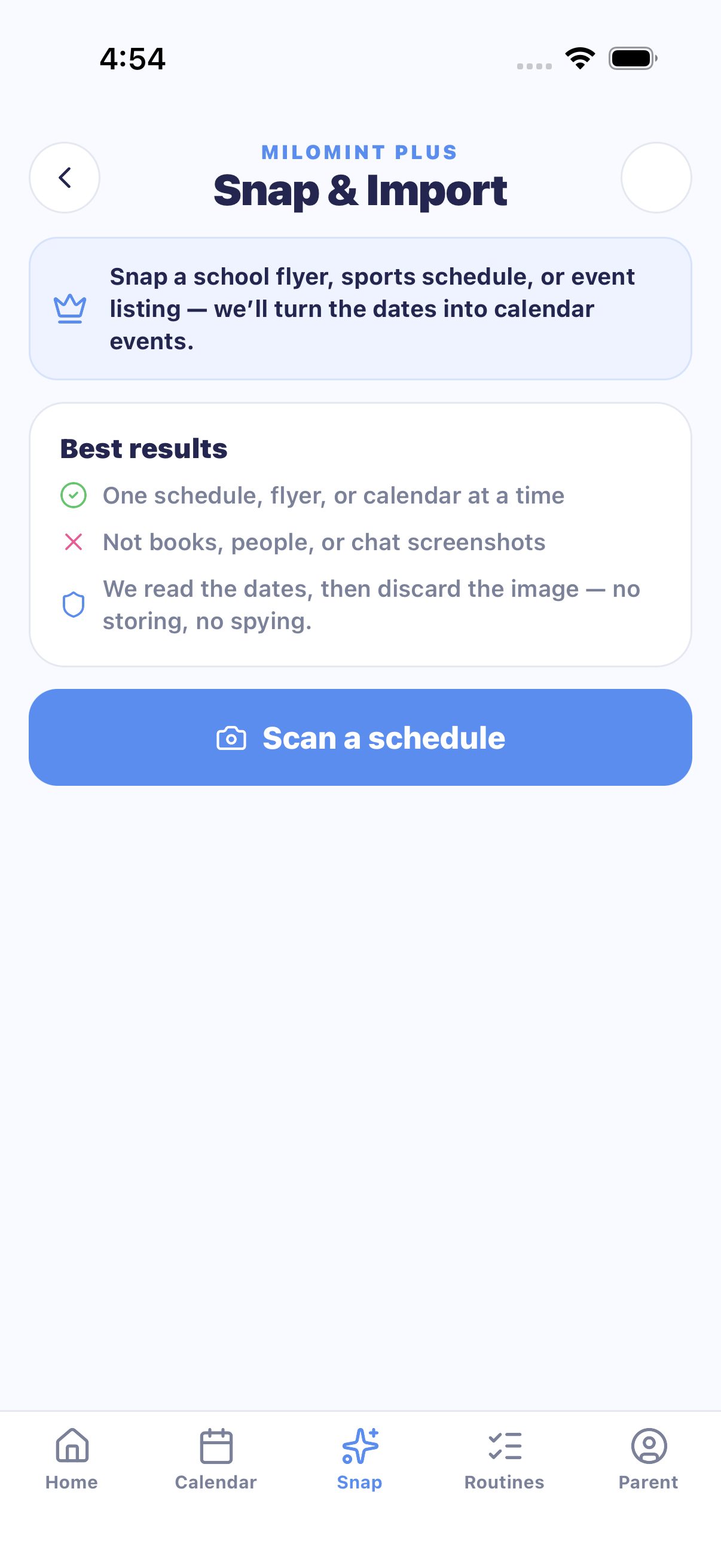
TL;DR: Family apps split into two camps. Organizers (Cozi, FamilyWall, Skylight) own the calendar but have no allowance or screen-time system. Chore apps (Greenlight, BusyKid, Joon, S'moresUp) own the reward loop but have no usable calendar. MiloMint is the only app in this comparison that closes the whole loop — plan, do, earn, spend — with AI photo-import at $29.99/year instead of Cozi's $79.99 or Skylight's $79-plus-hardware.
What changed in 2026?
Two things reshaped this market. First, Cozi limited its free calendar: free users now see a 30-day forward window with ads, and long-time users are vocal about it in reviews. Second, AI photo-import became real — point a camera at a school flyer and the events type themselves. But the two incumbents offering it put it behind their most expensive options: Cozi Max at $79.99/year, and Skylight Plus at $79/year on top of a $160–630 wall calendar.
The comparison table
| App | Free tier | Paid | Calendar | Chores → rewards | AI photo import | Screen-time earning |
|---|---|---|---|---|---|---|
| MiloMint | Full calendar, chores, allowance, rewards, screen time — no ads | $3.99/mo · $29.99/yr (Snap + more kids) | ✓ Month, week & agenda | ✓ Points or real money | ✓ in Plus | ✓ unique |
| Cozi | Ads; calendar capped to 30 days ahead | Gold ~$39/yr · Max $79.99/yr | ✓ | Lists only | Max tier only | — |
| Skylight | — (hardware $160–630) | Plus $79/yr | ✓ (wall display) | Star rewards in Plus | Plus tier | — |
| FamilyWall | Feature-limited | $4.99/mo · $44.99/yr | ✓ | Checklists | — | — |
| OurHome | Most features free | ~$1.99 premium | Basic | ✓ points | — | — |
| Greenlight | — | $5.99–19.98/mo | — | ✓ real debit card | — | — |
| BusyKid | — | $48/yr | — | ✓ Visa card + investing | — | — |
| Joon | Limited | $12.99/mo · ~$90/yr | — | ✓ game quests (coins) | — | Game limits |
Pricing and features verified June 2026 from each product's own pricing page and US App Store listing. Apps change — check current pricing before you buy.
Who should pick Cozi, Skylight, or FamilyWall?
Honest answer: Cozi is still a fine pick if all you want is a shared calendar with grocery lists and you do not mind ads or the 30-day free window. Skylightis wonderful if you want a dedicated screen on the kitchen wall and the budget for it — the hardware is genuinely lovely. FamilyWall fits families who care most about location sharing. None of the three will run your chores-for-allowance system or manage what kids earn — that is simply not what they build.
Who should pick Greenlight, BusyKid, or Joon?
Greenlight and BusyKid are the right call when your actual goal is a real debit card and investing for a teenager — they are fintech products with bank partners, priced like it. Joon shines for younger kids who respond to video-game motivation, especially families navigating ADHD. What none of them have is the family calendar, so most families end up running a second app anyway.

Where MiloMint fits
MiloMint exists for the family that wants one loop instead of two apps: the schedule, the chores that come from it, the allowance and screen time kids earn by doing them, and the rewards they spend it on. Three things in this comparison are genuinely unique to it:
- Earned screen time. Kids unlock their daily minutes by finishing the day's tasks. No other app in this table connects chores to screen time.
- Points or real money — your choice. Run allowance in dollars you settle at the kitchen table, or switch the whole family to points. No card, no fees — you settle up yourself.
- The chart leaves the screen. Weekly routine charts, chore checklists, and reward certificates print in six kid-designed themes — built from your real kids and routines.
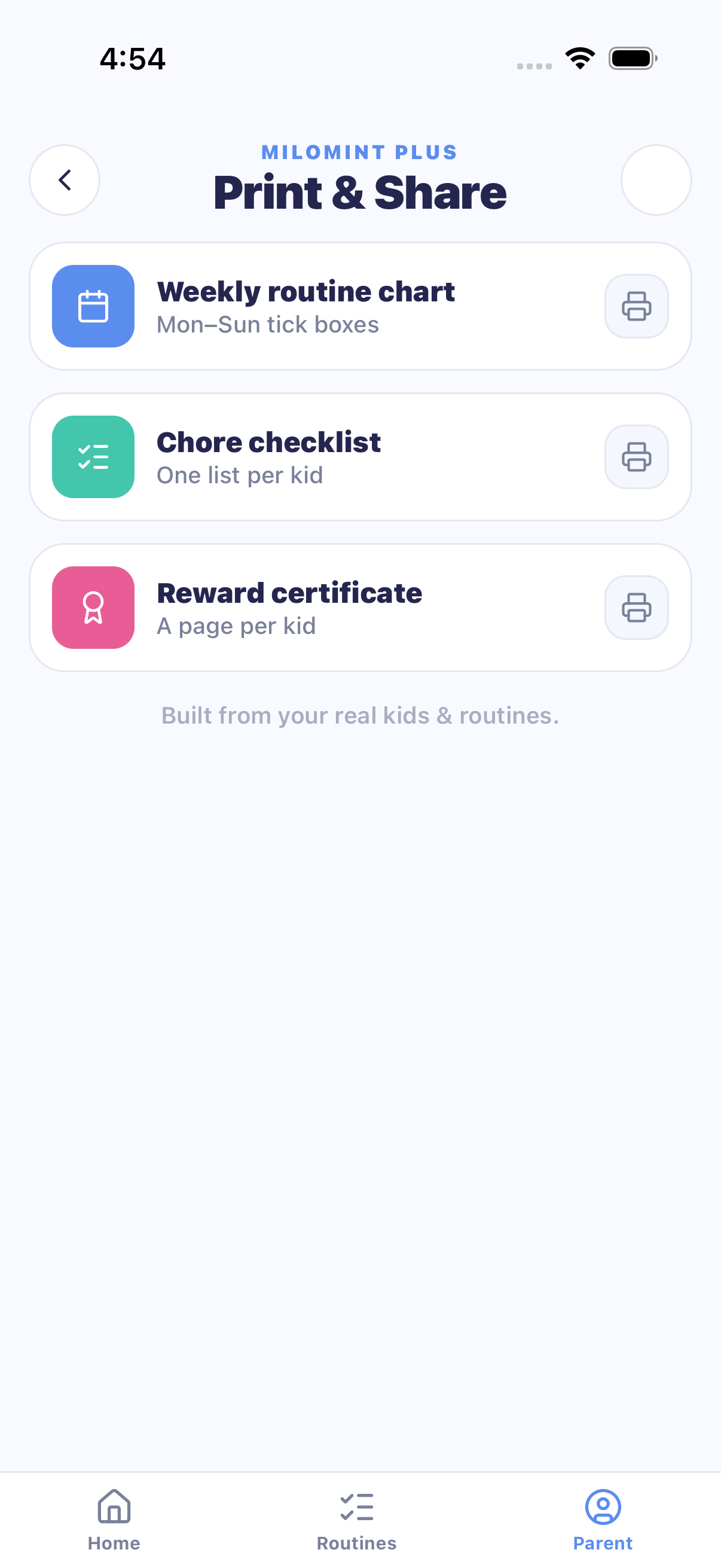
And on price: the calendar, chores, allowance, and screen time are free with no ads. MiloMint Plus — $3.99/month or $29.99/year — adds Snap photo-import (15 scans a month), room for more kids, and fancy print themes (printing is free either way). That is the lowest price for AI schedule import in this comparison by a factor of 2.6.
Leaving Cozi? Bring your calendar with you
You don't have to retype a single event. In Cozi, open your month and screenshot it — or export/print it to a PDF. In MiloMint, tap Snap, pick that screenshot or PDF, and MiloMint reads the whole month: every dated event lands on your family calendar for you to review before anything saves. One page per snap, so a busy month is a single tap.
- In Cozi: screenshot your month, or export/print it to a PDF.
- In MiloMint: tap Snap → pick the screenshot or upload the PDF.
- Review the events MiloMint pulled out, then add them — no typing, no re-entry.

Frequently asked questions
What is the best Cozi alternative for chores and allowance?
Cozi is a shared calendar and list app — it has no allowance, rewards, or screen-time system. If you want the calendar AND a chore-to-reward loop, MiloMint covers both: the family calendar is free forever, and kids earn points or money plus screen time by finishing chores.
Which family apps can turn a photo of a schedule into calendar events in 2026?
Three apps offer AI photo import: Cozi (in its $79.99/year Cozi Max tier), Skylight (in its $79/year Plus plan, which also requires a $160–630 wall display), and MiloMint (in MiloMint Plus at $29.99/year — no extra hardware).
Is MiloMint really free?
Yes. The family calendar, chores, routines, allowance (points or money), rewards store, kid logins, and earned screen time are free with no ads. MiloMint Plus ($3.99/month or $29.99/year) adds Snap photo-import, room for more kids, and fancy print themes (printing is free).
Do Greenlight or BusyKid replace a family organizer?
Not really — they are money products. Greenlight ($5.99–19.98/month) and BusyKid ($48/year) hand kids real spending and investing, but neither has a family calendar. MiloMint takes the opposite approach: full organizer plus allowance tracking, settled in cash or points, with no card needed.
See the whole loop in one app
Calendar, chores, allowance, rewards, and earned screen time — free for the whole family.
Get MiloMint free on the App Store →Free family calendar, chores & allowance · No ads, ever · Plus adds Snap & printing for $29.99/yr
Want the details first? Read exactly how MiloMint works, or our checklist of what parents look for in a kids' schedule app.
Lifestyle photos via Pexels: Kampus Production, Ketut Subiyanto, Askar Abayev. App screenshots: MiloMint.