What parents actually look for in a kids' schedule app — the 2026 checklist
Every September the same search spikes: "best app for kids' schedule." After building one — and reading thousands of parent reviews of every competitor while we did — here are the seven things parents actually check before they trust an app with the family's week.
1. Is everything in one place?
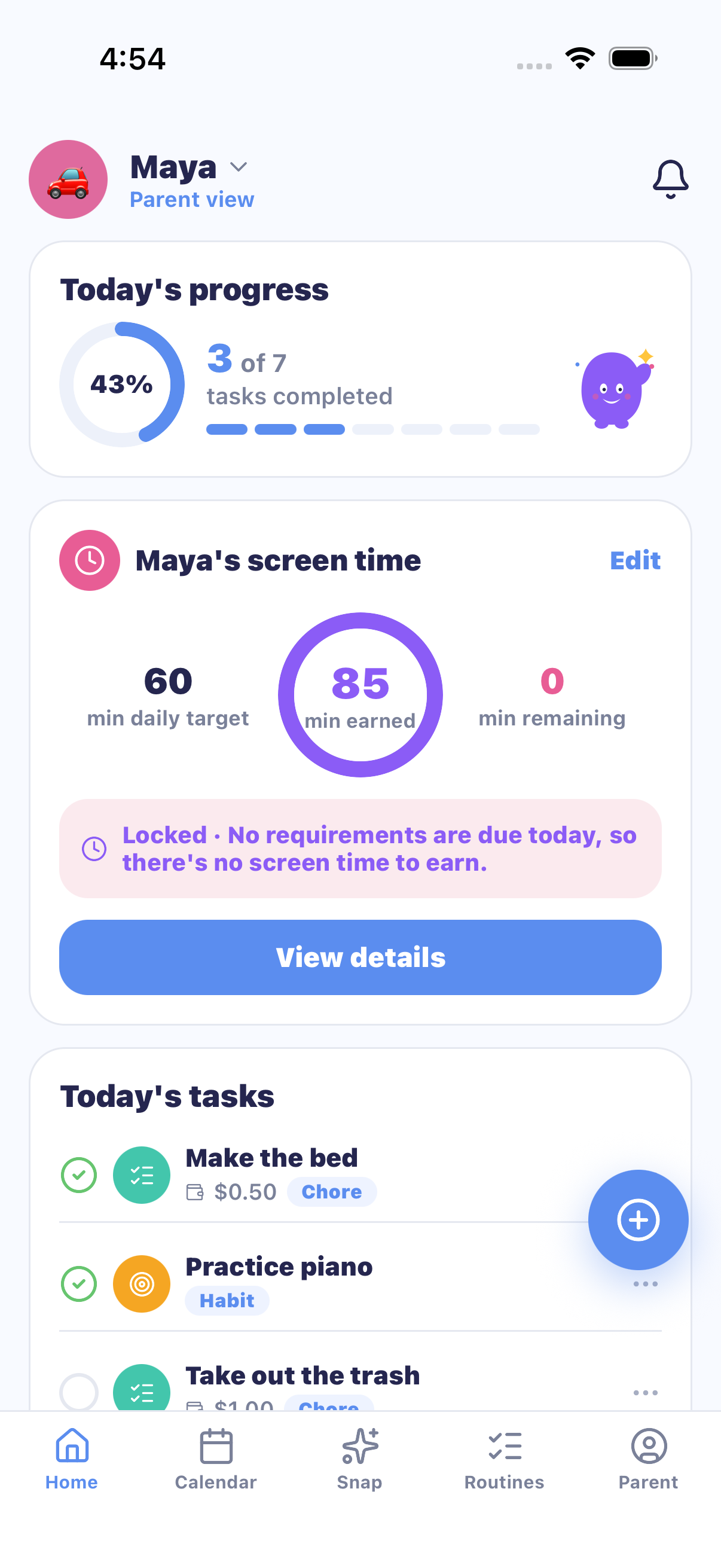
The dealbreaker question. School events live in a newsletter, chores on a paper chart, allowance in a spreadsheet, screen-time rules in a group chat — and most apps digitize exactly one of those. Parents told us the app graveyard on their phone is full of single-purpose tools. Look for the full loop: the calendar feeds the day's tasks, the tasks feed what kids earn, and what they earn feeds what they can spend.
2. Can the kid follow it without a phone?
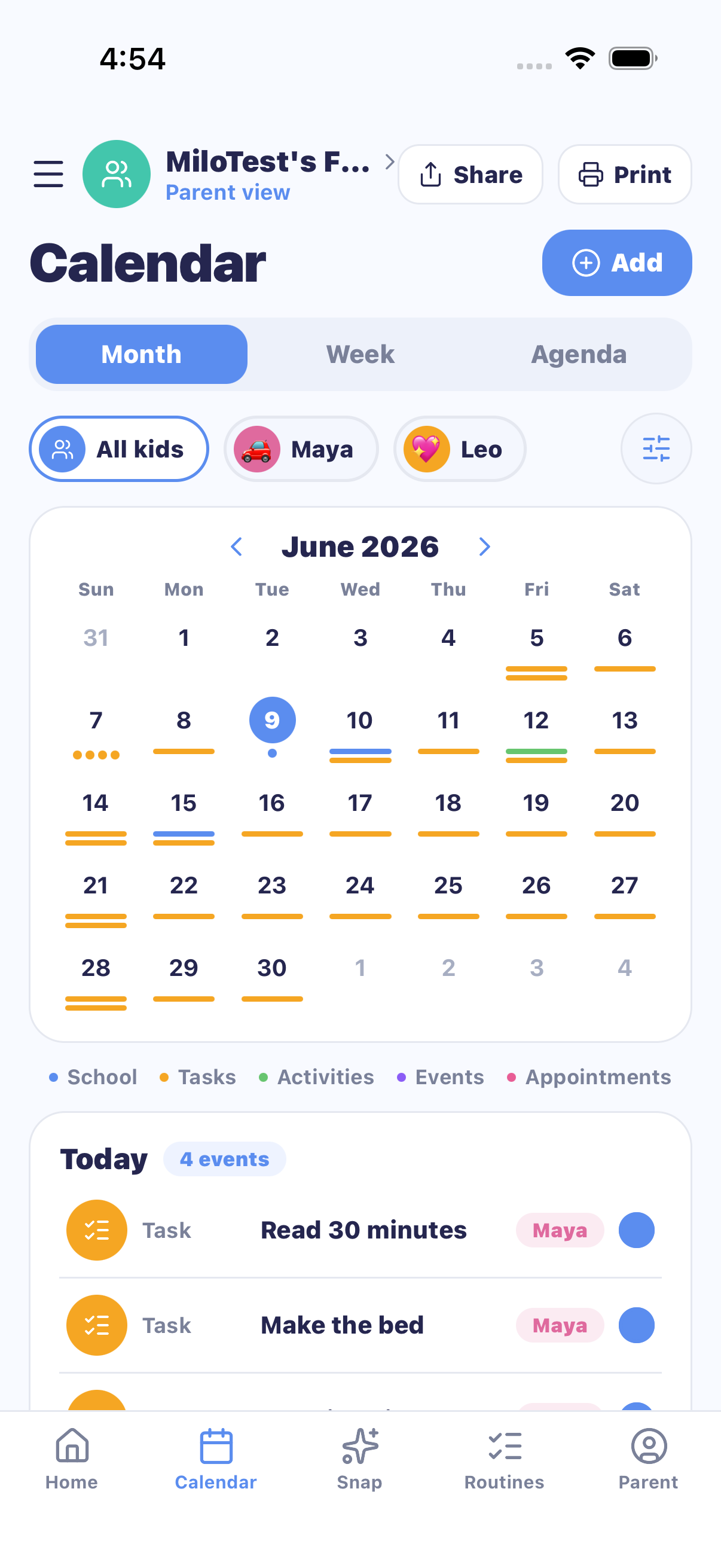
The quietest requirement and the most ignored one. Most eight-year-olds don't have a phone — so a schedule that only exists on a screen is a schedule only the parent can see. That's why paper still wins on fridges. The best setup is both: a kid view for kids with devices, and printable charts for kids without. (This is the gap that made us build MiloMint's printing system — six themes kids pick themselves, with tick boxes that survive a juice spill.)
3. Will I have to retype the school schedule?
The average school year produces dozens of dated flyers, rosters, and newsletters. Retyping them is the single most-complained-about chore in family-app reviews. In 2026 the bar moved: photograph the flyer and the events should type themselves. Check what that costs, though — the incumbents charge $79–80/year for AI import; MiloMint Plus includes it at $29.99/year.
4. Is it actually safe for kids?
Three signals separate kid-safe apps from apps that merely allow kids:
- No ads in the kid experience. If the free tier is ad-supported, your child is the audience being sold.
- Kid accounts without email or phone numbers. A child shouldn't need an inbox to check off chores. (MiloMint uses a Kid Code + PIN.)
- A straight answer on photos and data. If the app processes photos, it should refuse pictures of people and discard images after use — ask, or read the privacy policy.
5. Does it motivate, or just track?
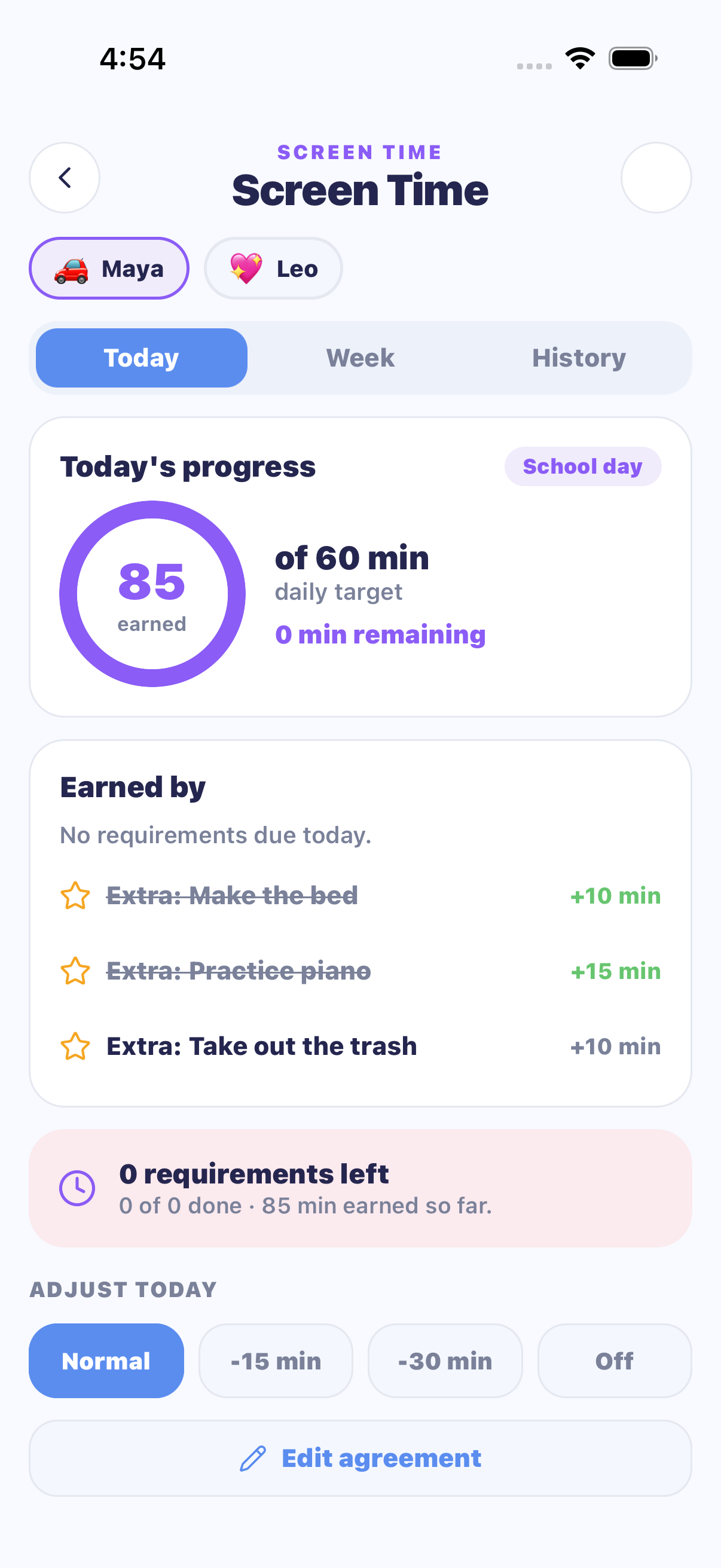
A tracker tells you what didn't happen. A motivator changes what happens. The mechanics that survive contact with real children: visible progress (a checklist the kid ticks), earned screen time (today's minutes unlock when today's tasks are done), and a reward they chose (a goal worth saving points for). If the app can't connect "made the bed" to something the kid wants, the kid stops opening it.
6. Can both parents run it?
Schedules fail at handoff points — the parent who took the flyer photo isn't always the parent doing Thursday pickup. Co-parent access with equal powers (add events, approve chores, adjust allowance) should be included, not an upsell. Check the cap too: some apps charge per additional adult.
7. Is the pricing honest?
The pattern to avoid: a "free" app that caps the calendar, injects ads, then sells the fix back at $40–80/year. The pattern to look for: a free tier that is genuinely usable forever, with a paid tier that adds extras rather than un-breaking the basics. Whatever app you choose, read its reviews from the last six months — pricing changes are where family apps most often lose their users' trust.
The checklist, in one block
✓ Calendar + chores + rewards in one loop
✓ Works for kids without phones (print or kid view)
✓ Photo import instead of retyping school flyers
✓ No ads · kid logins without email · clear photo policy
✓ Motivation built in: progress, earned screen time, chosen rewards
✓ Both parents included, equal powers
✓ Free tier usable forever; paid tier adds extras, not basics
Frequently asked questions
What should a kids' schedule app include?
Seven things parents consistently check: everything in one place (calendar + chores + rewards), a way for kids to follow the plan without a phone, no retyping of school schedules, kid-safe accounts without email or ads, built-in motivation, access for both parents, and honest pricing.
Are family schedule apps safe for kids?
Check three signals: no ads in the kids' experience, kid accounts that don't require an email address or phone number, and a clear statement about photos and data. MiloMint, for example, uses a Kid Code + PIN login, shows no ads ever, and rejects photos containing people before anything uploads.
How do I get my kid to actually follow a schedule?
Two mechanics work consistently: visible progress (checklists kids tick themselves, on paper or in a kid view) and earned privileges (screen time or allowance unlocked by finishing the day's tasks) — so the schedule carries its own motivation instead of nagging.
MiloMint checks all seven
It's the app we built because nothing else passed this list. Calendar, chores, allowance and earned screen time — free.
Get MiloMint free on the App Store →Free family calendar, chores & allowance · No ads, ever · Plus adds Snap & printing for $29.99/yr
Compare for yourself: MiloMint vs Cozi, Skylight & co, or see exactly how it works.