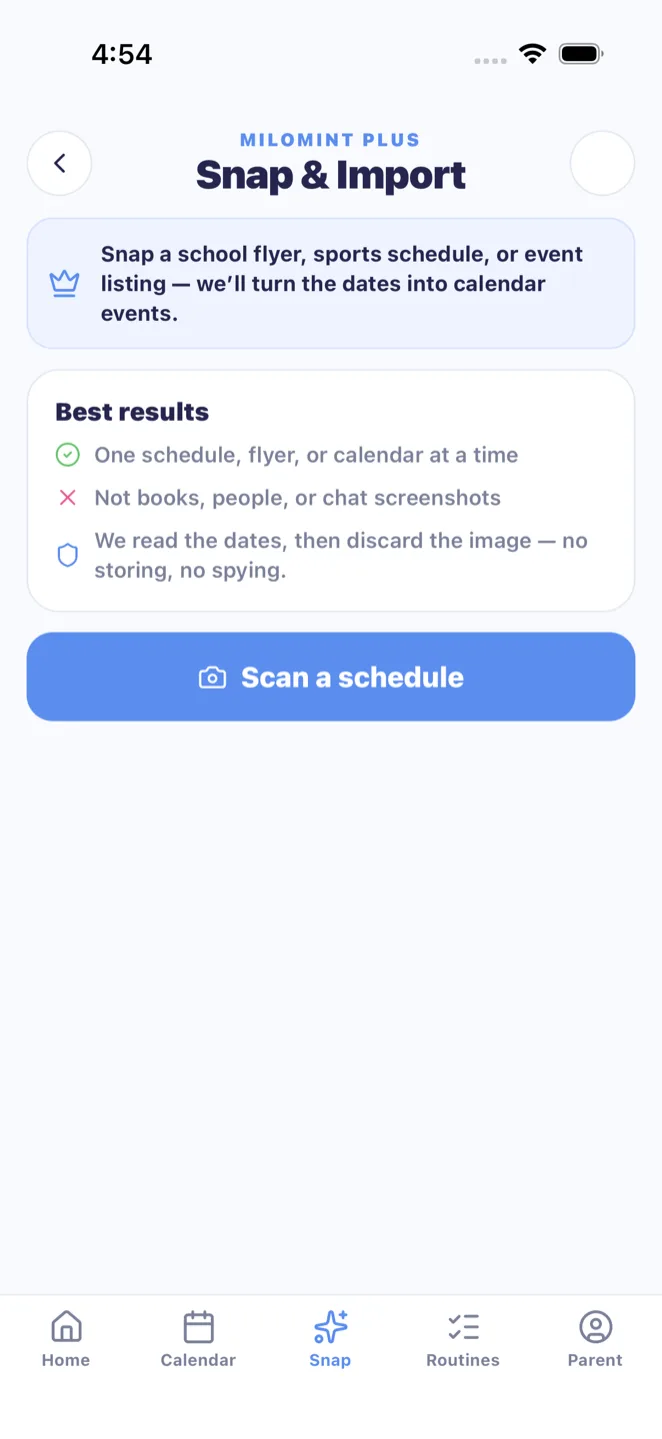
MiloMint: scan a school schedule to your calendar with a photo
MiloMint's Snap feature lets a parent scan a school schedule to their calendar by simply photographing it. Point your phone at the paper schedule the school sent home, a printed sports flyer, a class list, or a season calendar, and MiloMint's AI reads the image and pulls out the events, titles, dates, start and end times, recurring days like every Tuesday, and early-release days. Instead of typing a dozen dates into a calendar by hand, you get a set of proposed entries you can scan in seconds. The point of Snap is that nothing is committed automatically: every event the AI finds is shown to you first, and you review and edit each one before a single thing is saved to your family calendar. It handles the messy, printed, real-world layouts that schools actually send, not just clean digital files. Snap is on the iOS app; it is free to try, and MiloMint Plus adds a monthly Snap-import quota.
Photograph the paper the school actually sent home
School schedules rarely arrive as a tidy calendar invite. They come as a photocopied half-sheet in a backpack, a sports flyer taped to the fridge, a class roster with practice times in the margins, or a season calendar printed in tiny rows. MiloMint's Snap feature is built for exactly that mess. You open Snap, take a photo of the document, and the on-device flow sends that image to AI that reads the layout the way a person would, finding the event names, the dates, the start and end times, and the patterns hiding in the page. You do not have to retype anything or decode a confusing grid yourself. The feature is deliberately aimed at printed, imperfect, real-world paper, because that is what parents are handed at pickup, at the first practice, or in the back-to-school folder, and it is precisely the material a generic calendar app cannot do anything with.
It reads dates, times, and recurring days
Snap does more than read a single date off a page. The AI extracts the structured pieces a calendar actually needs: the title of each event, the day it falls on, the start and end times when they are printed, and the recurrence when a schedule says something like practice every Tuesday and Thursday. It also picks up the special cases schools love to bury in a footnote, such as early-release days or no-school dates, so they do not slip past you. A soccer flyer that lists eight Saturdays of games becomes eight proposed entries; a class schedule that repeats weekly becomes a recurring proposal rather than one lonely event. Because the feature understands recurring days, you are not left to manually duplicate the same practice across a whole season. It turns the dense, human-formatted information on a flyer into the clean, dated structure your family calendar can hold.
You review and edit before anything is saved
The single most important rule of Snap is that it never auto-commits. When the AI finishes reading your photo, it does not write anything to your calendar. Instead it shows you a list of proposed entries, each with the title, date, time, and recurrence it believes it found, and you go through them. You can fix a misread time, correct a title, drop an event that does not apply to your family, adjust a recurrence, or assign an event to a specific child before you accept it. Only the entries you approve are saved. This keeps a human firmly in the loop, which matters because no photo read is ever perfect, especially on a smudged or handwritten flyer. Snap is designed to do the tedious ninety percent, the typing and the date math, while leaving the final say with the parent. You get the speed of an automatic import with the safety of a manual review, rather than waking up to a calendar full of entries you never checked.
Built for messy, printed, real layouts
Plenty of tools can parse a clean spreadsheet or a digital calendar export. The hard part, and the part MiloMint's Snap is built for, is the photo of a real document under kitchen lighting: skewed angles, a fold down the middle, a school logo, a table with merged cells, a coach's handwriting in the margin. Snap is aimed at this kind of input because it is what families actually receive. The AI reads the visual layout and the text together, so a printed grid of practice times or a flyer with the dates in a sidebar can still be turned into proposed events. It will not be flawless on every scrawl, which is exactly why the review step exists, but it removes the worst chore of family scheduling, sitting down to manually transcribe a paper schedule into a phone, and replaces it with a photo and a quick check.
Free to try, your photo is not stored
Snap is part of the MiloMint iOS app and is free to try, so you can photograph a schedule and see the proposed entries before deciding it is worth more to you. MiloMint Plus adds a monthly Snap-import quota for families who lean on it regularly across multiple kids and activities. Just as important is what happens to the picture: the photo you take is used only to read the schedule, and it is not stored. The image is processed to extract the events and is not kept around as a saved photo in the app afterward. That matters to parents who are reasonably cautious about snapping pictures of class lists or anything with their child's school details on it. Snap is meant to be a fast, low-friction tool you reach for at the start of a season, not a place your documents pile up, so it reads the schedule, hands you the proposed events, and lets the photo go.
Frequently asked questions
How does scanning a schedule to my calendar work?
In MiloMint you open Snap and photograph a paper schedule, flyer, or class list. The AI reads the image and extracts the events, dates, times, and recurring days, then shows them as proposed calendar entries. You review and edit them, and only the ones you approve are saved.
Can I switch from Cozi and import my calendar?
Yes. Export or print your Cozi month to a PDF (or just screenshot it), then in MiloMint tap Snap and pick that PDF or screenshot. MiloMint reads the whole month grid — the date for each event comes from its day cell plus the month in the header — and proposes every event for you to review before anything saves. It works the same way for a Google or Apple month export. One page (one month) per snap.
Does MiloMint save events automatically from the photo?
No. Snap never auto-commits. After reading your photo it proposes calendar entries, and nothing is added to your calendar until you review each one and approve it. You can fix a time, correct a title, drop an event, or adjust a recurrence before anything is saved.
Can it read recurring days like every Tuesday?
Yes. Snap extracts recurrence, so a flyer that says practice every Tuesday and Thursday becomes a recurring proposal rather than a single event. It also picks up special cases like early-release days, so the dense patterns on a printed schedule turn into structured entries you can review.
Does it work with messy, printed, or photocopied schedules?
Snap is built for exactly that. It reads real-world paper, photocopied half-sheets, sports flyers, and printed grids under normal lighting and at imperfect angles. It will not be perfect on every handwritten scrawl, which is why every result is shown for your review before it saves.
Is my photo stored?
No. The photo you take is used only to read the schedule and is not stored. The image is processed to extract the events, and it is not kept as a saved photo in the app afterward, which matters for pictures of class lists or anything with school details on them.
Is Snap free, and is it on iOS?
Snap is part of the MiloMint iOS app and is free to try, so you can photograph a schedule and see the proposed entries first. MiloMint Plus adds a monthly Snap-import quota for families who use it regularly across multiple kids and activities.