A grocery list only works if everyone's looking at the same one. MiloMint gives your family a single shared shopping list that updates in real time: whoever notices you're out of milk adds it, and it's there on whoever's phone is at the store. You can keep one list per store or per person, set quantities, and — this is the part people love — photograph a recipe, a school-supply list, or a scrap of paper and MiloMint reads the items straight onto the list. No group texts, no retyping, no forgotten item. The shared list is free, ad-free, and part of the same calm app that handles your family's calendar, chores, and allowance.
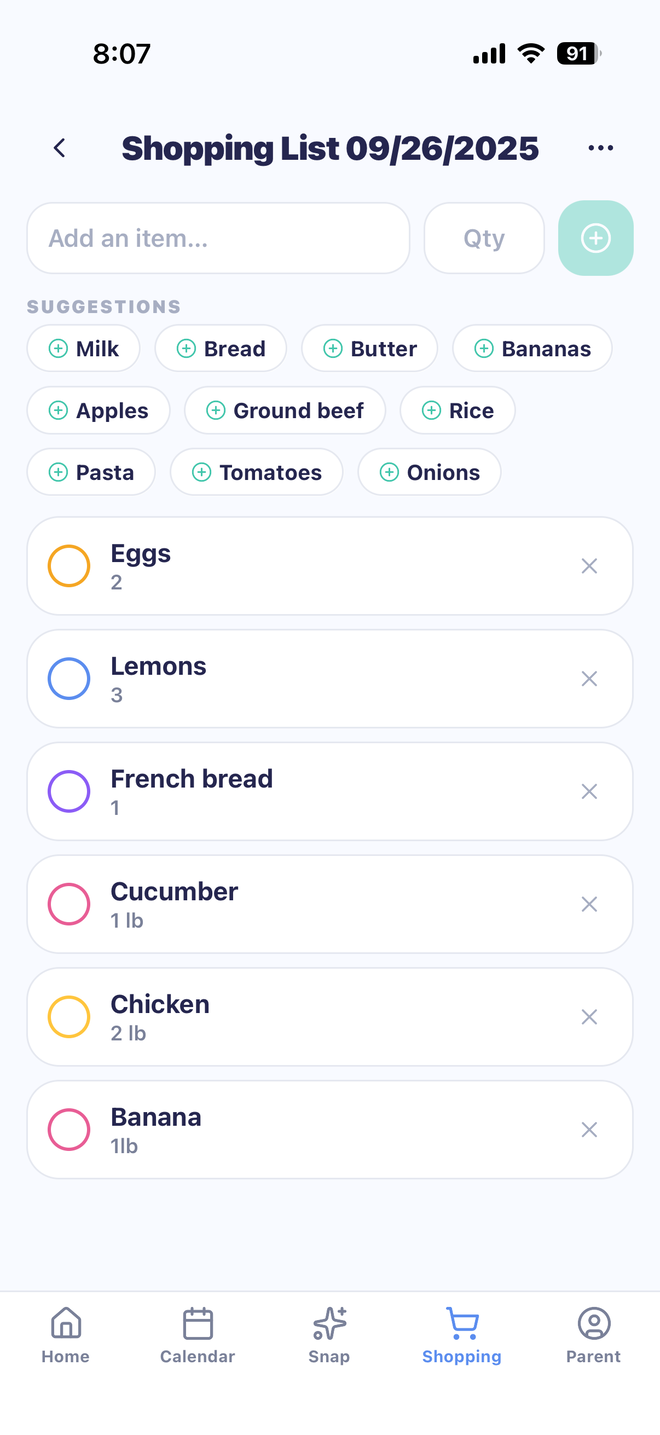
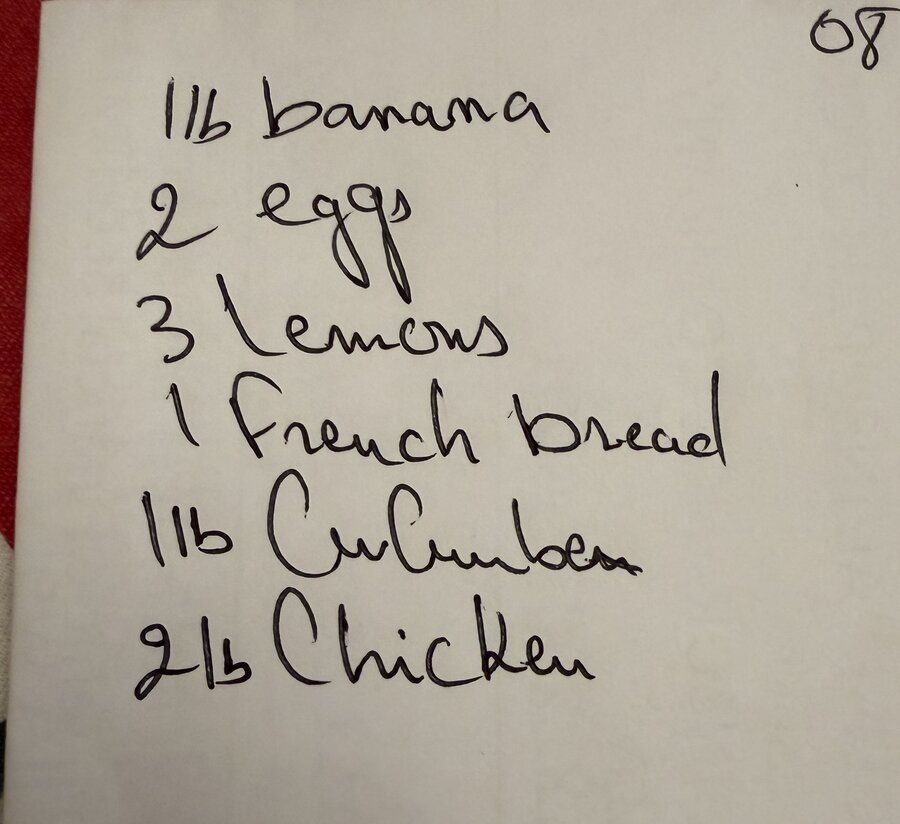
Here's a real MiloMint example. Someone jotted the week's groceries on a piece of paper, opened MiloMint, and snapped it — and the app read every line, item and quantity, straight onto a shared list the whole family can pull up at the store. No retyping, nothing lost.
The handwritten note
→
In MiloMint, seconds later
One list the whole family actually keeps updated
The reason paper lists and notes apps fail is that only one person has them. MiloMint's shopping list is shared across the whole family and syncs in real time, so anyone can add an item the moment they think of it and everyone sees it instantly. The person at the store checks things off as they go and the rest of the household watches the list shrink. No 'can you also grab…' texts, no two people buying the same thing, no coming home to find the one thing you actually needed never made it onto anyone's list.
Snap a recipe or a handwritten list and it fills itself
This is the feature that saves the most time. Point your camera at a recipe, a school-supply list, or even a grocery list you scribbled on paper, and MiloMint's Snap reads each line — item and quantity — and drops them onto your shared list. A recipe becomes its ingredients; a handwritten note becomes a tidy, checkable list. It is perfect for the weekly shop and for back-to-school supply runs. Snap is part of MiloMint Plus; the shared list itself, adding items by hand, quantities, and real-time sync are all free.
Quantities, multiple lists, and a tidy trip
Every item can carry a quantity — 2 lb chicken, 3 lemons, 1 French bread — so whoever shops knows exactly what to grab. Keep separate lists for different stores or different people (Costco vs. the corner market, Mom's list vs. the household run) and switch between them in a tap. Quick-add suggestions surface the things your family buys most so building a list takes seconds, and checking items off as you go keeps the trip moving without fumbling with paper.
Share the list with anyone
Need to hand the list to a partner who isn't in the app yet? Share it as plain text through any messaging app, or send it directly to another MiloMint family by email as a one-tap copy into their account. Either way the person shopping has the full, current list in their hand. It is the simplest possible answer to 'text me what we need' — except it is always up to date.
Free, ad-free, and part of one calm family app
The shared grocery list is free forever, with no ads and no data selling — the same promise as the rest of MiloMint. And because it lives in the same app as your family calendar, chores, allowance, and earned screen time, the shopping list is not one more separate app to open. It is one calm place your whole family already uses, on both iPhone and Android, so the list is wherever the family is.
Frequently asked questions
Is MiloMint's shared grocery list free?
Yes. The shared shopping list — adding items by hand, quantities, multiple lists, and real-time sync across the family — is free forever, with no ads. The AI Snap import (photograph a recipe or handwritten list and it fills the list for you) is part of MiloMint Plus at $3.99/month or $29.99/year.
How does snapping a recipe or handwritten list work?
Open Snap, point your camera at a recipe, a school-supply list, or a grocery list written on paper, and MiloMint reads each line into proposed items — with quantities — that you review before they're added to your shared list. It turns a photo into a tidy, checkable list in seconds, with no retyping.
Can the whole family update the same list at once?
Yes. The list is shared across your family and syncs in real time, so anyone can add an item and the person at the store sees it appear instantly and checks items off as they shop.
Can I keep separate lists for different stores?
Yes. You can keep multiple lists — one per store or per person — and switch between them in a tap, each with its own items and quantities.
Can I share the list with someone not in the app?
Yes. Share any list as plain text through your usual messaging app, or send it directly to another MiloMint family by email as a one-tap copy into their account.
Is the grocery list on iPhone and Android?
Yes. MiloMint is on both iPhone and Android, and the shared shopping list syncs across everyone in the family regardless of which phone they use.